
Appearance
The dashboard
Every project on this machine, in a browser: what exists, what is running, what is wrong, and the two buttons that matter. Around them: a dqx doctor check per project, copies and agent environments made with a click, and a tab per project for reviewing its pull requests with Claude.
bash
dqx dashboard               # everything, including start and stop
dqx dashboard --read-only   # show everything, change nothing
It opens your browser and runs until Ctrl-C. Nothing is installed and nothing keeps running afterwards.
txt
Usage: dqx dashboard [options]

Every project on this machine, in a browser

Options:
  --read-only      show everything, change nothing
  --no-open        print the URL instead of opening a browser
  --demo [file]    a fictional fleet from a file instead of this machine, read
                   only (default: site/screens/fleet.demo.json)
  --port <number>  serve on this port instead of 7391
  --new-token      mint a new token, so every link handed out before stops
                   working
  --url            print the link to the dashboard that is running, and stop
  --restart        start the running dashboard again from the dqx binary on
                   disk, and stop; open pages reload
-h, --help display help for command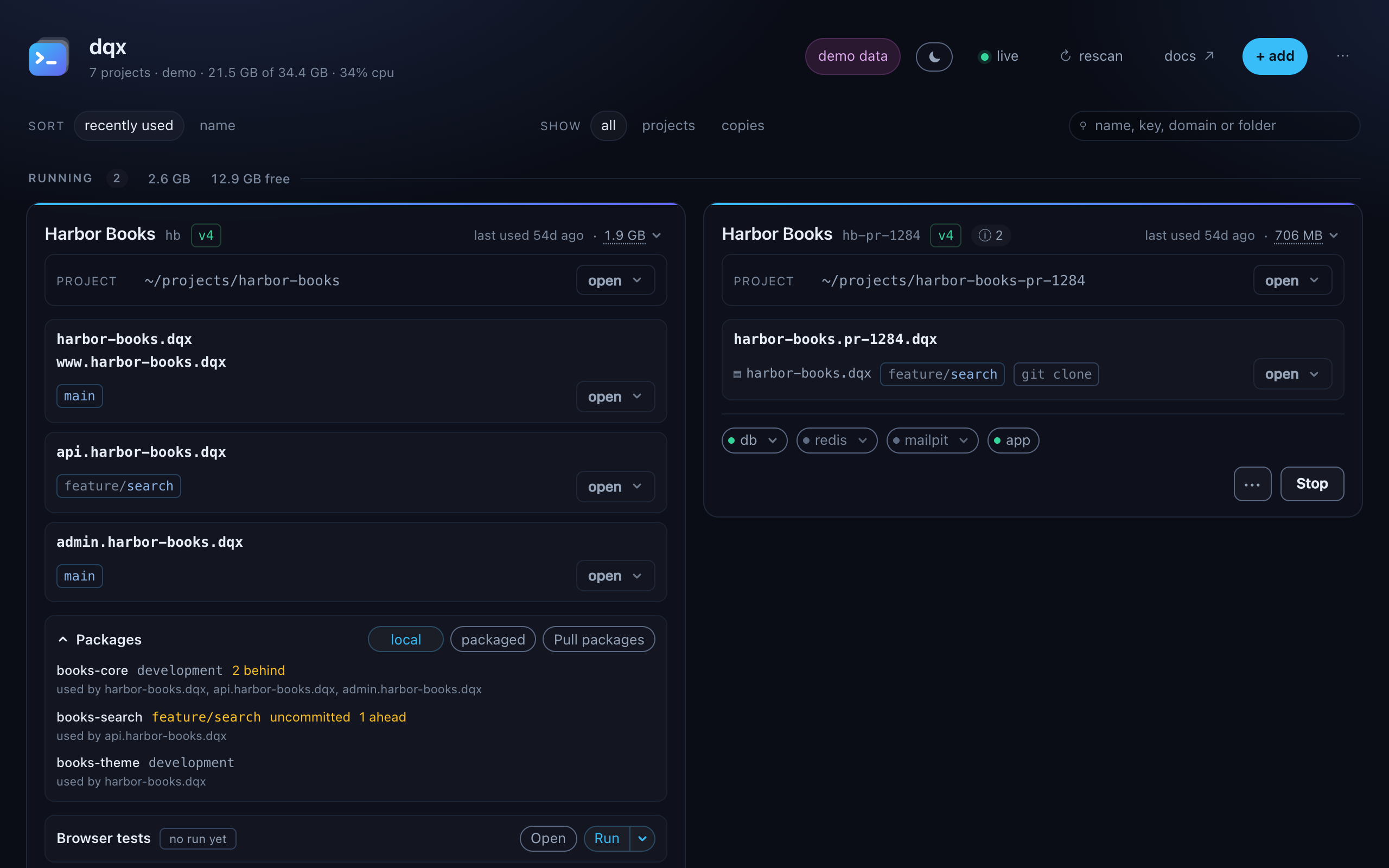 1234
1234The header
Under the name, one line about the machine:
text
7 projects · v1.49.0 · 21.5 GB of 34.4 GB · 34% cpuHow many projects it found, the dqx version, the memory in use on this machine of its total, and the share of the CPU in use since the previous reading. The two machine figures are read on a slower clock than the rest, so they appear a moment after the page. A version with (+dev) behind it is not the released binary but a build of a checkout, or the checkout itself through bun; the tooltip says which. A demo says demo in place of the version.
To the right, pills that say how this dashboard was started, then the buttons:
demo data | started with --demo: a fictional fleet from a file, not this machine |
read only | started with --read-only: nothing can be started, stopped or written |
Bitbucket: n days left | the token dqx review uses expires soon; a click stores a new one |
| the moon or sun | light or dark. It follows your system until you click it, and the choice is remembered in this browser |
live | receiving updates from dqx. reconnecting when the connection dropped, while it retries and checks this tab's token still works |
| rescan, docs, + add | look for new projects, open this site, and add or start a project |
What it shows
Cards flow down a column and on to the next, rather than sitting in rows: a row is as tall as its tallest card, so a project with one site left hundreds of pixels of nothing beside a project with four. The cost is that the order reads down the first column and then the second, the way a newspaper does.
Three groups, in this order:
| Running | whatever its config shape, because a running project is one you are using |
| Stopped | on the current config shape, and down |
| Legacy | down, and on a config older than v4 |
Sorted by recently used to begin with, so what you worked on last week is at the top. Switch to name if you would rather hunt alphabetically; the choice is remembered in your browser.
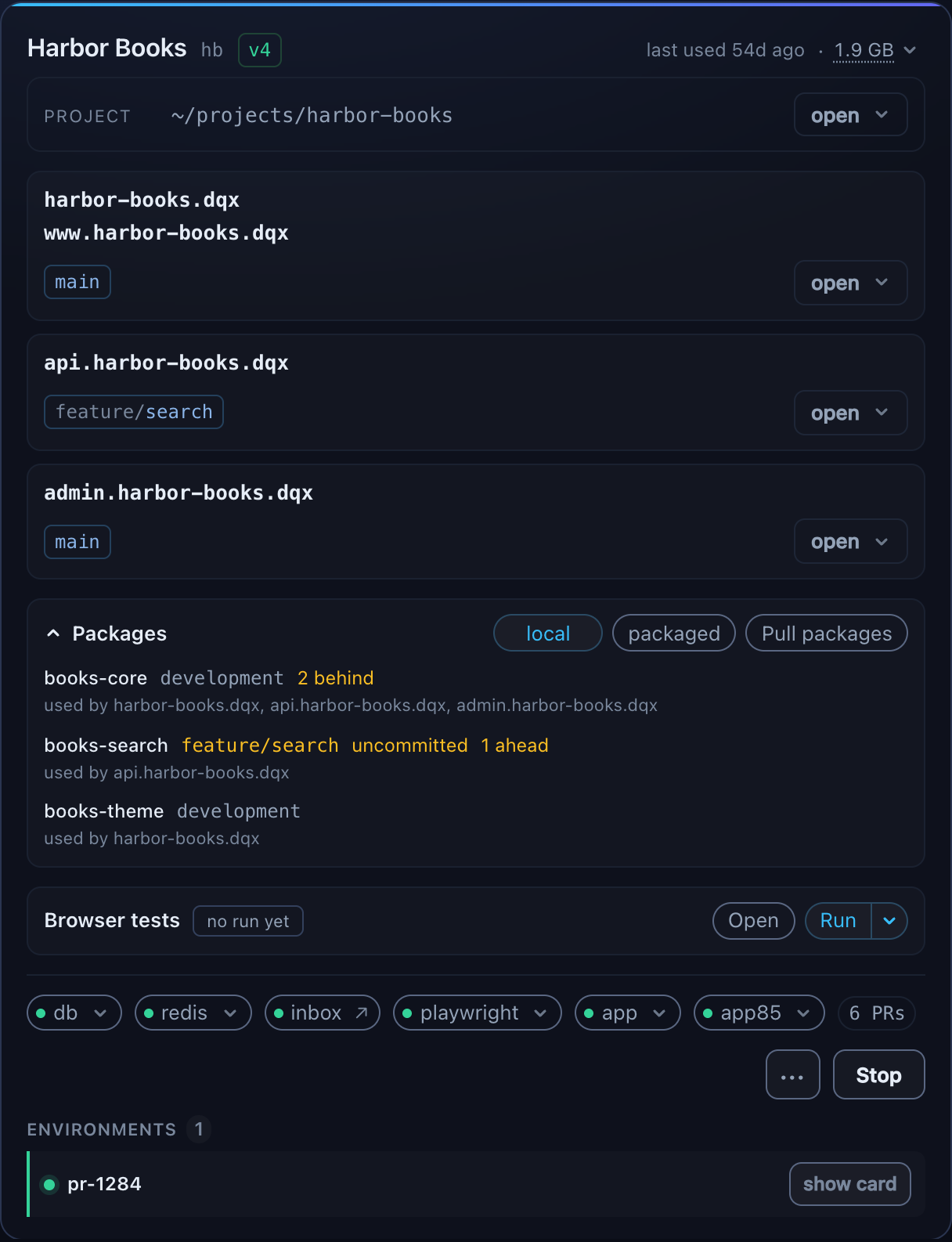
A card carries a row per checkout, not per URL, because those are not the same thing: one project here serves four domains out of a single portal directory. Each row shows the branch it is on and every domain it answers to.
The header of a card is what the project is, with how long it has been up and what it holds at its top right; the foot is how it is running. details in the foot shows what is true all year - the php version, the config shape, the layout - per card and remembered.
What "used" counts
Both ends: a dqx up and a dqx down, from a terminal or a button. A stack left running all morning was in use until you stopped it, and recording only the start sorted it below one started an hour ago and never opened.
A project dqx has no record of falls back to when docker created its containers, which is when they were last recreated rather than last started. Close enough to order a list by, which is why the label says used and not started. A project with no time has never run here, and sorts to the bottom.
Where the rest of it is
| Using the dashboard | Find a project, open it in your editor or a shell, read what it is holding, check it, open its database |
| Changing things | Add a project, start a new one, and change a project's settings with the gear |
| What it shows you, and why | How projects are found, what the chips mean, and the projects that behave differently |
| Reviewing pull requests | A project's pull requests in a tab of their own: have Claude review one, pick the findings, post them |
Panels and dialogs
Every menu on a card is one floating panel, placed against the button that opened it: below it, or above when the button is near the bottom of the window, and pulled back from the right edge rather than running off it. Escape closes it, so does a click outside.
Nothing on a card moves when a menu opens. They used to live inside the card, which meant the card had to let them out, and its top border changed the moment anything opened. Two things do open in the card, because they are about it and stay open while you read: the memory breakdown under the header, and the doctor findings under the foot.
Settings, a new project, a copy and the Bitbucket token are dialogs over the page.
The keyboard
One key, doing the thing you expect:
| Esc | closes the panel or dialog that is open |
| Esc in the filter box | clears the filter and shows everything again |
Nothing else is bound. A dashboard is a page you glance at and click, and a shortcut nobody can discover is a shortcut nobody uses.
What it does not do
- Write anywhere but this machine, with one exception: a review posts the comments you picked to the pull request on Bitbucket or GitHub, after a confirm.
--read-onlyturns that off with everything else. - Tail logs.
dqx logsdoes that. - Change anything a config change cannot undo. The gear writes a curated set of settings and hands the rest back: the client key renames every container and network, the layout moves directories, and the domain suffix moves every domain at once. Each is a command of its own that shows you a plan first.
- Create a project anywhere. A new project may go beside projects dqx already knows about, or in the tree it proposed.
dqx init <path>in a terminal has no such limit. - Show anything but docker projects. Other backends each need their own liveness call, and only one backend can serve at a time anyway. The footer says what is being shown.
It used to say it would never create a project or write a config
Both are true of an earlier dqx and neither is true now: + add posts a request document to dqx init --from -, and the gear posts a patch to dqx configure --from -. What has not changed is the rule underneath: the dashboard runs the command you could run yourself, and anything that needs a plan read first still shows you one.
Security
The dashboard binds loopback only, and never anything else.
Two guards, because either alone is not enough. Requests must come from the dashboard's own origin, which stops a page you happen to have open from posting to it. And every run mints a token, handed over in the URL fragment so it stays out of server logs and out of Referer, which is what stops DNS rebinding, where an attacker's name resolves to 127.0.0.1 and the origin is genuinely theirs.
The token outlives one run. It is kept in ~/.local/share/dqx/dashboard.json, readable only by you, so a restart, a takeover or an update leaves every open tab working without a new link. A file anybody else can read is not trusted with it, and a token older than 30 days is replaced. To end every link handed out so far, start it with dqx dashboard --new-token.
The token never appears on anything the page can fetch without one: a tab that lost it gets it back from another tab of the same dashboard, never from the server.
The Bitbucket token for reviews goes in through its dialog once, is checked against Bitbucket, and is stored in the Keychain or libsecret. It is never sent back to the page. The browser never talks to a forge at all: the page may only connect to the dashboard itself (a connect-src 'self' content security policy), and the dashboard does the calls.
The port
7391. Running dqx dashboard while one is already serving with the same flags and the same version opens that one. With different flags it stops that one and takes over, so the flags you just typed are the ones you get - with the same token, so open tabs carry on.
dqx dashboard --url prints the link to the one that is running, for a tab you closed.
Anything on that port that is not a dqx dashboard is left alone and reported.
A tab whose token no longer opens anything, because the dashboard on the port was started with --new-token, says This dashboard has been replaced, with dqx dashboard --url for the link to the one that is running.
A newer dqx
When a newer release is out, a thin amber strip above the header says so, with the command that installs it (dqx self-update, or brew upgrade dq for a Homebrew copy) and a copy button for that command. The × hides it for that version; the next release brings it back. The dashboard asks for the release manifest when it starts and every six hours after, and says nothing when there is no network. A demo never shows the strip.
dqx self-update restarts a running dashboard onto the new binary. The terminal keeps it, and open tabs reconnect and reload by themselves.
When the router cannot serve
80 and 443 belong to every project at once, so when dqx's router cannot serve them a red banner runs across the top of the dashboard rather than on a card. It names what holds the ports and the command that frees them, with a copy button: lerd stop for lerd, herd stop for Herd, ddev poweroff for DDEV. A holder dqx cannot name gets the command that finds it, sudo lsof -nP -iTCP:443 -sTCP:LISTEN. A router that is simply down, with the ports free, says dqx up.

The dashboard asks when it starts, every thirty seconds, and after every start or stop it runs. Recheck asks at once. Only projects behind the router count: with none of them on the machine, there is no banner. A router that answers costs a docker ps and two requests to it, and who holds the ports is only asked when it does not. On a machine whose router predates the probe it is a docker ps and an lsof instead, until the next dqx up gives the router its probe. dqx beside Herd on its own address (routerBindAddress) shows no banner, since Herd is not in the way there. The dashboard never changes the router's files to find out.
Beside rescan is a docs link to this site, taken from the snapshot rather than written into the page, so a build published to staging links to the staging site.